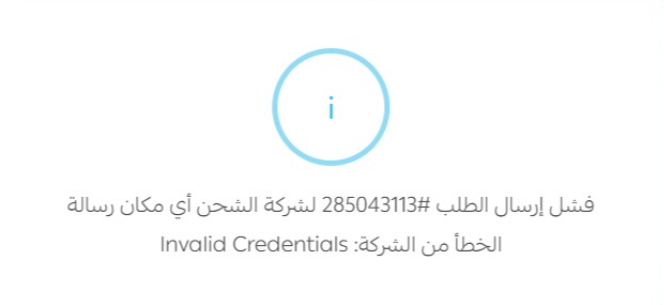
Invalid Credentials
{danger} Error: Invalid Credentials
Usually means the API token is incorrect, outdated, or from the wrong environment.
What does this mean?
The "Invalid Credentials" error usually means that the API token is incorrect or invalid.
How to fix it
Verify and update your API token by following these steps:
- Log in to the AyMakan Customer Dashboard.
- Navigate to Technical → AyMakan API.
- Copy the API token.
- Update the token in your integration/system.
{warning} Important: In most cases, the issue occurs because the integration is either using an incorrect/old token, or using a DEV environment token instead of the Production token. Make sure you are using the correct Production API token for your Production integration.
Common causes
- Incorrect or old API token
- Expired token
- Using Development token in Production
- Token copied incorrectly (extra spaces / incomplete)
API error response
If you call the AyMakan API directly with an invalid token, the request is rejected with an HTTP status of 401 Unauthorized and the following response body:
{
    "error": true,
    "response": "Invalid Credentials"
}
Integrations such as Salla receive this same response from the API and show it to you as their own error message.
Screenshot
Example from Salla when shipment creation fails with Invalid Credentials: